
What are the different types of QR Codes?
QR Codes can trigger various actions on the smartphone where they are read. Directing a user to a website isn't the only possible action, and some of them are worth knowing (such as saving a business card or connecting to wireless networks).
All these types of QR Codes can be created on our QR Code generator.
More types are available on our customer portal available here >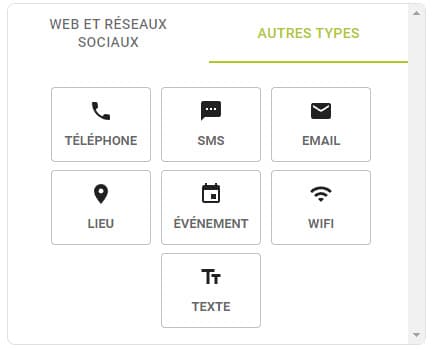
Website
By scanning this type of QR Code, users will be directed to a webpage and will discover the content available. This is the most common QR Code type.
Business card
With these business card QR Codes, a contact card with the details you entered will be automatically stored in the contact list of the smartphone. You can enter your name, address, phone number, email and so on. These QR Codes are only available for paid users.
Wireless network
You can create QR Codes that contain wireless network credentials. After scanning, smartphones will connect automatically!
Send an SMS
Save the content and the recipient's phone number of an SMS. After scanning, you will only have to confirm before sending it.
Send an Email
This works exactly like the SMS QR Code type. Only this time, you enter the email content, the subject and the recipients to enable sending after scanning.
Call a phone number
Type in a phone number when you create the QR Code. When scanning, users will be prompted to call the phone number.
Add an event to a calendar
After scanning these QR Codes, you will be asked if you want to save the event in your smartphone's calendar. By adding the event to your calendar, you will be reminded of the correct date.
Geolocation
When creating these QR Codes, you enter the latitude and longitude coordinates of a location. By scanning them, users will be able to find the location on their favourite geolocation application.
Plain text
This is the simplest QR Code type. The raw text is encoded and displayed on the screen after scanning. You can write anything you like.
Dynamic QR Codes
This new QR Code type is available with the Silver plan. Since it sends users to a webpage, it is very similar to the website type or business card, but it offers new, useful features.
Analytics tracking
Get real-time analytics like the volume of scans, the smartphones used, geolocation and time of scan to see where and when your QR Codes were the most scanned.
Editable URL
Change the website which your QR Code redirects to anytime you want. This is particularly useful if you want to start printing without having the related website or if you want a dynamic marketing campaign.
OS-based redirection
Apply a different content to your customers depending on their smartphone model or language. This is particularly useful for developers who have an application that can be downloaded for different platforms via a single QR Code or worldwide QR Codes.